
Table of Contents
ToggleMost homeowners assume security cameras require a WiFi connection, but that’s not always the case. Bluetooth security cameras operate independently of your home network, storing footage locally and connecting directly to your smartphone for viewing and setup. They’re ideal for remote sheds, detached garages, vacation cabins, or anywhere WiFi doesn’t reach. This guide walks through how these cameras work, their strengths and limitations, and what to look for when choosing one for offline home protection.
Key Takeaways
- Bluetooth security cameras operate independently without WiFi by storing footage locally on microSD cards and connecting directly to smartphones within 30–100 feet, making them ideal for remote properties and detached structures.
- No cloud subscription fees, WiFi dependency, or vulnerability to network hacking are major advantages, saving $36–$120 annually per device while enhancing privacy for sensitive areas.
- Bluetooth cameras are limited by short range, lack real-time remote monitoring, and require manual footage retrieval, making them unsuitable as standalone full-home security systems.
- Choose models with at least 1080p resolution, 5,000+ mAh batteries, solar compatibility, IP65 weather resistance, and customizable motion detection to maximize performance and minimize false alerts.
- Mount cameras 7–9 feet high with quality anchors, test Bluetooth range before installation, and establish a monthly battery check routine to ensure reliable offline protection.
- Bluetooth security cameras excel for backup coverage, construction sites, and privacy-focused setups, complementing or replacing WiFi systems in locations where traditional networking is impractical.
How Bluetooth Security Cameras Work Without WiFi
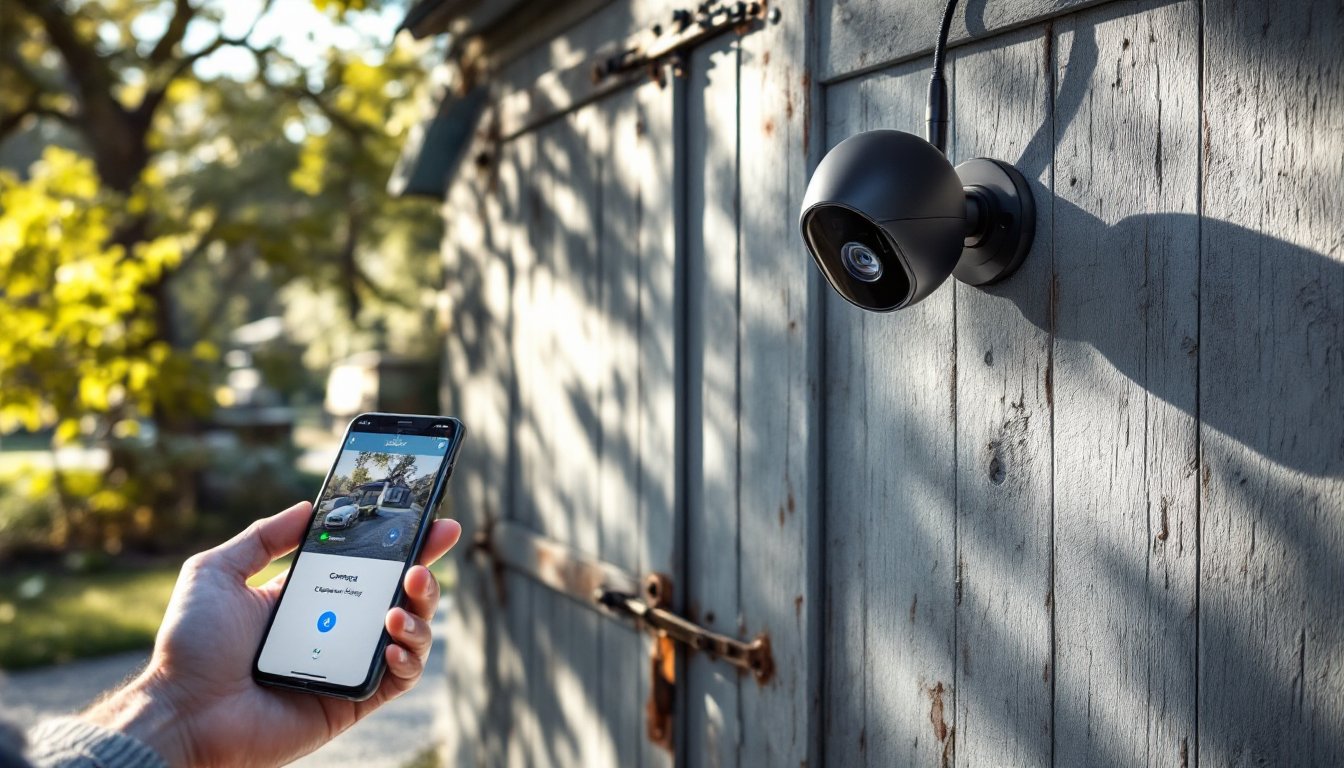
Bluetooth security cameras use short-range wireless technology (typically Bluetooth 4.0 or 5.0) to communicate with a paired smartphone or tablet within approximately 30–100 feet, depending on the model and obstructions. Unlike WiFi cameras that stream footage to cloud servers, Bluetooth cameras store video directly on a microSD card or internal memory.
When motion is detected, the camera records to its local storage. The homeowner can then connect via Bluetooth to review footage, adjust settings, or download clips. Some models send push notifications through Bluetooth Low Energy (BLE) when paired with a phone, though this requires the phone to remain within range.
A few advanced models combine Bluetooth with cellular connectivity or local mesh networks, but pure Bluetooth cameras rely entirely on proximity-based pairing. This means no internet bandwidth usage, no cloud subscription fees, and no vulnerability to WiFi hacking, but also no remote access from across town.
Most Bluetooth cameras run on rechargeable batteries or solar panels with battery backup, eliminating the need for AC power. Battery life varies widely based on recording frequency, temperature, and resolution settings, but expect 2–6 months per charge under typical use.
Key Benefits of Choosing a Bluetooth-Only Security Camera
No WiFi dependence is the primary advantage. Bluetooth cameras function in locations where WiFi signal is weak, nonexistent, or impractical to extend, think barns, storage sheds, RVs, or job sites. They also sidestep ISP outages and network congestion.
Lower ongoing costs add up over time. Without cloud subscriptions (typically $3–$10/month per camera), a Bluetooth setup can save $36–$120 annually per device. Footage stays on the microSD card, which homeowners can review, archive, or delete manually.
Enhanced privacy appeals to users wary of cloud storage breaches. Video never leaves the device unless manually transferred, reducing exposure to third-party data handling. There’s no login portal for hackers to target.
Simpler installation often follows. Many battery-powered models mount with a single screw or adhesive bracket, avoiding the need to fish Ethernet cables or locate nearby outlets. Pairing takes minutes via a smartphone app.
Low power draw makes Bluetooth cameras compatible with solar panels and small battery packs. Bluetooth Low Energy (BLE) protocols consume minimal power during standby, extending battery life significantly compared to always-on WiFi radios.
Limitations and Trade-Offs to Consider
Range restrictions are non-negotiable. Bluetooth maxes out around 100 feet in ideal conditions: walls, metal siding, and interference from other devices shrink that fast. Homeowners can’t check footage from work or receive alerts unless their phone is nearby.
No real-time remote monitoring means these cameras won’t replace a full-fledged security system. If someone breaks into a detached garage while the homeowner is on vacation, the camera records evidence but can’t send an alert or trigger a siren.
Manual footage retrieval requires physically approaching the camera (or keeping a paired device within range). There’s no instant playback from the couch or desktop browser. For time-sensitive situations, this delay can be a dealbreaker.
Limited smart home integration is common. Bluetooth cameras rarely work with Alexa, Google Home, or centralized security panels. They operate as standalone devices, which simplifies setup but sacrifices automation and multi-device coordination.
Storage caps depend on microSD card size. A 128GB card holds roughly 10–20 hours of 1080p footage before looping, so frequent motion events can overwrite older clips quickly. Homeowners must develop a routine for offloading important videos.
Best Use Cases for Bluetooth Security Cameras
Detached structures top the list, garages, sheds, workshops, or pool houses where running CAT6 cable or extending WiFi is expensive or impractical. A Bluetooth camera mounted above the door captures entry/exit activity without infrastructure upgrades.
Remote properties like hunting cabins, off-grid cottages, or undeveloped land benefit from battery-powered Bluetooth cameras. Homeowners can check for trespassers, wildlife, or storm damage during periodic visits without paying for satellite internet.
Construction sites and temporary locations suit Bluetooth cameras well. Mount one on a trailer, tool crib, or material stack, then move it as the project progresses. No IT setup required, just charge, mount, and pair.
Privacy-sensitive areas such as home offices, nurseries, or personal workshops appeal to users who want local-only recording. Footage of sensitive documents, expensive equipment, or children stays on-device, with no cloud middleman.
Backup or supplemental coverage complements a primary WiFi system. Place a Bluetooth camera in a WiFi dead zone or as a secondary angle on a high-value target. If the main system goes down, the Bluetooth unit continues recording independently.
What to Look for When Buying a Bluetooth Security Camera
Video resolution should be at least 1080p (Full HD) for license plates, faces, and fine detail. Some wireless models offer 2K or 4K, but higher resolution drains batteries faster and fills storage quicker, balance quality with runtime.
Night vision range and type matter for after-dark monitoring. Infrared (IR) LEDs are standard, effective to about 20–30 feet. Color night vision (via spotlight or starlight sensors) costs more but delivers clearer identification. Check the IR range spec against your coverage area.
Battery capacity and recharge method directly impact maintenance. Look for 5,000+ mAh rechargeable lithium-ion batteries for multi-month runtime. Solar panel compatibility is a bonus for sunny locations. Removable battery packs let you swap in a fresh one without unmounting the camera.
Storage capacity and loop recording depend on microSD card support. Cameras that accept 256GB cards provide more cushion before old footage overwrites. Verify the camera supports loop recording (automatic overwrite of oldest clips) to avoid manual card management.
Weather resistance is mandatory for outdoor installations. Look for an IP65 rating or higher to withstand rain, snow, and dust. Operating temperature range matters in extreme climates, some cameras fail below 0°F or above 120°F.
Motion detection customization reduces false alerts and conserves battery. Adjustable sensitivity, activity zones, and detection delays help filter out swaying branches, passing cars, or pets. Some cameras offer PIR (passive infrared) sensors for heat-based detection, which ignores non-living movement.
Build quality and mounting options affect longevity. Metal housings resist impact and tampering better than plastic. Magnetic mounts, adjustable brackets, and anti-theft lock slots add flexibility and security.
Installation and Setup Tips for DIY Homeowners
Plan camera placement before drilling. Walk the property with your phone to test Bluetooth range from likely monitoring spots to where you’ll typically be (workshop, driveway, patio). Mark spots with painter’s tape, then verify line-of-sight and coverage angle.
Mount at 7–9 feet high to balance field of view with tamper resistance. Too low invites vandalism: too high skews facial recognition. Angle the lens slightly downward to capture faces and license plates, not just the tops of heads.
Use quality anchors for exterior mounts. For wood siding, #8 or #10 stainless steel screws into studs or blocking work well. On masonry or stucco, use plastic anchors rated for 50+ lbs and predrill with a masonry bit. Don’t rely on adhesive mounts for permanent outdoor installations, temperature swings and UV exposure degrade adhesive over time.
Install a microSD card before first power-up. Format the card in the camera (via the app) rather than pre-formatting on a computer, this ensures compatibility and proper file structure. Use a Class 10 or UHS-1 card rated for continuous recording (look for “High Endurance” or “Surveillance” labels).
Pair the camera in close proximity first. Download the manufacturer’s app, enable Bluetooth on your phone, and follow the pairing prompts. Most cameras enter pairing mode automatically on first boot: others require holding a reset button for 5–10 seconds.
Test motion detection and night vision after mounting. Walk through the camera’s view during the day and at night, then review clips to confirm coverage and clarity. Adjust sensitivity settings to minimize false triggers from headlights, insects, or weather.
Set a battery check routine. Mark your calendar to check battery status monthly or quarterly, depending on usage. Many apps display remaining charge percentage: some cameras blink an LED when low. Keep a spare battery or charging cable handy.
Secure the camera against theft. Use anti-theft brackets, cable locks, or mount cameras out of reach. If the camera is stolen, local footage is lost, unlike cloud cameras, there’s no off-site backup.
Wear safety glasses when drilling into masonry or overhead. Use a cordless drill for wood mounts: a hammer drill with masonry bit for concrete or brick. Ear protection is smart for extended drilling sessions.
Conclusion
Bluetooth security cameras won’t replace networked systems for whole-home monitoring, but they excel in niche scenarios where WiFi and power are scarce. For detached outbuildings, off-grid properties, or privacy-focused setups, they deliver reliable local recording without monthly fees or network complexity. Choose the right model, mount it thoughtfully, and keep batteries topped off, offline doesn’t mean unprotected.

