
Table of Contents
ToggleSetting up a home office for beginners can feel overwhelming at first. Where do you put the desk? What equipment do you actually need? How do you stay focused when your couch is ten feet away?
These are real questions. And they deserve real answers.
Whether someone is transitioning to remote work or starting a side business, a well-planned home office makes a significant difference. It affects productivity, comfort, and even mental health. This guide covers everything beginners need to know, from picking the right spot to staying on task throughout the day.
Key Takeaways
- A home office for beginners starts with choosing a dedicated, quiet space with strong Wi-Fi and natural lighting.
- Invest in an ergonomic chair with lumbar support to prevent long-term back pain and discomfort.
- Position your monitor at eye level and arm’s length away to maintain proper posture and reduce strain.
- Establish a consistent daily routine and use time blocking to maximize productivity while working from home.
- Set clear boundaries with household members and limit digital distractions using website-blocking apps.
- Define a firm stop time each day to separate work from personal life and prevent burnout.
Choosing the Right Space for Your Home Office
Location matters more than most people think. A home office for beginners should start with choosing a space that supports focus and consistency.
Dedicated Space vs. Shared Space
Ideally, the home office occupies a separate room. A closed door blocks distractions and signals to others that work is happening. But not everyone has a spare room. In that case, a corner of the bedroom or living room can work, just make it consistent. Use that same spot every day.
Lighting Considerations
Natural light reduces eye strain and improves mood. Position the desk near a window if possible. Avoid placing a computer screen directly in front of or behind a window, though. That creates glare or makes video calls look washed out.
Noise Levels
Some homes are loud. Kids, pets, street traffic, it adds up. If possible, pick the quietest room available. Noise-canceling headphones can help when that’s not an option.
Internet Connection
Wi-Fi signal strength varies throughout a home. Before committing to a location, test the connection speed in that area. A weak signal means laggy video calls and frustrating file uploads. Moving closer to the router or using a Wi-Fi extender solves most issues.
Essential Furniture and Equipment You Need
A home office for beginners doesn’t require expensive gear. But it does require the right basics.
The Desk
Size depends on the work. Writers and coders might need less surface area than graphic designers who use multiple monitors. A desk that’s at least 48 inches wide provides enough room for most tasks. Standing desk converters offer flexibility for those who want to alternate between sitting and standing.
The Chair
Skimping on a chair is a mistake. Back pain shows up weeks or months later, then it doesn’t go away easily. Look for adjustable seat height, lumbar support, and armrests. A good chair costs between $150 and $400, and it’s worth the investment.
Computer and Accessories
Most remote workers need a reliable laptop or desktop. Beyond that, consider:
- A second monitor for increased screen space
- An external keyboard and mouse for comfort
- A quality webcam for video meetings
- A USB microphone for clearer audio
Internet and Power
A stable internet connection is non-negotiable for a home office. Aim for at least 25 Mbps download speed for video calls and file transfers. A surge protector keeps equipment safe during power fluctuations.
Setting Up an Ergonomic Workspace
Ergonomics prevents injury and fatigue. A home office for beginners should prioritize proper body positioning from the start.
Monitor Placement
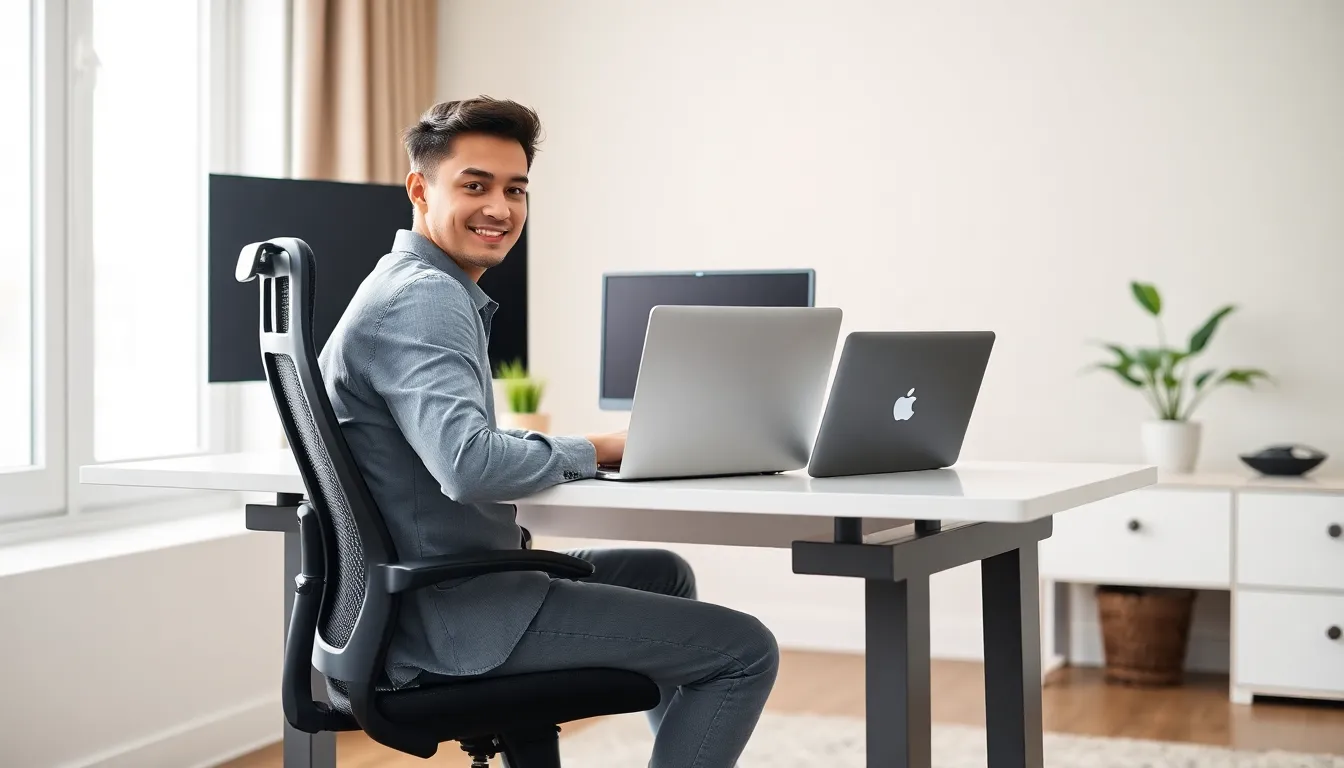
The top of the screen should sit at eye level or slightly below. This keeps the neck in a neutral position. Place the monitor about an arm’s length away from the face. If using a laptop alone, a laptop stand raises the screen to the correct height, pair it with an external keyboard.
Chair and Desk Height
When seated, feet should rest flat on the floor. Thighs should be parallel to the ground. Elbows should bend at roughly 90 degrees when typing. Adjust the chair height to achieve this. If the desk is too high, a keyboard tray brings the typing surface lower.
Keyboard and Mouse Position
The keyboard and mouse should sit at the same level. Wrists stay straight, not bent up or down. A wrist rest provides support during breaks, but wrists shouldn’t rest on it while actively typing.
Take Breaks
Even a perfect setup can’t prevent problems caused by sitting too long. The 20-20-20 rule helps: every 20 minutes, look at something 20 feet away for 20 seconds. Stand up and move every hour. Bodies weren’t built to stay in one position all day.
Staying Productive While Working From Home
The biggest challenge in a home office for beginners often isn’t the setup, it’s staying focused.
Create a Routine
Starting work at the same time each day builds momentum. Some people work better in the morning. Others hit their stride in the afternoon. Find those peak hours and protect them for high-priority tasks.
Set Boundaries
Family members and roommates need to know when interruptions aren’t okay. A closed door or a specific signal (like wearing headphones) can communicate “do not disturb” without constant reminders.
Use Time Blocks
Time blocking assigns specific tasks to specific hours. From 9-11 AM, write reports. From 11-12, answer emails. This approach reduces decision fatigue and prevents tasks from bleeding into each other.
Limit Distractions
Social media and household chores can derail an entire workday. Apps like Freedom or Cold Turkey block distracting websites during work hours. Keeping the phone in another room eliminates the temptation to scroll.
Know When to Stop
Remote work blurs the line between professional and personal time. Without a commute, there’s no clear signal that the workday has ended. Set a firm stop time. Close the laptop. Leave the home office. That separation protects mental health and prevents burnout.

