
Table of Contents
ToggleHouston’s unique combination of property crime rates, hurricane season vulnerabilities, and sprawling suburban neighborhoods makes home security cameras more than just a luxury, they’re a practical necessity. With package theft on the rise and many homeowners dealing with extended power outages during storm season, the right camera system can provide both real-time monitoring and crucial evidence when you need it. This guide walks through everything Houston residents need to know about selecting, installing, and maintaining security cameras that actually work in the Gulf Coast climate.
Key Takeaways
- Security camera systems in Houston require weatherproofing rated IP65 or higher due to humidity, heat, and hurricane-season storms that threaten standard electronics.
- Wired PoE (Power over Ethernet) cameras outperform battery-powered models in Houston’s extreme heat, delivering both power and data through a single cable without battery degradation issues.
- Choose security cameras with 4MP or 8MP resolution for outdoor coverage to capture usable details like license plates and faces at typical driveway distances of 20-30 feet.
- Local storage through SD card slots or NVR hard drives is essential for Houston homeowners since cloud-only systems become useless during the extended power outages that occur during hurricane season.
- Check HOA regulations and angle cameras to cover only your property boundaries, as strict architectural guidelines in areas like Memorial Villages and the Woodlands often restrict camera placement and wiring visibility.
- Mid-range PoE security camera systems with 4-6 cameras and an NVR typically cost $600-1,200 and last 3-5 years, offering better durability and value than cheaper wireless alternatives that fail quickly in coastal conditions.
Why Houston Homeowners Need Security Cameras
Houston ranks among the top metropolitan areas for property crimes, with vehicle break-ins and porch piracy particularly common in neighborhoods like Montrose, the Heights, and Katy suburbs. Unlike alarm systems that only activate after a breach, cameras act as both deterrent and documentation.
The city’s weather patterns create additional security challenges. Hurricane season brings extended power outages that can disable poorly planned systems. Flash flooding can damage ground-level equipment. And the relentless humidity accelerates corrosion on outdoor electronics that aren’t properly rated for coastal conditions.
Beyond crime prevention, cameras help Houston homeowners monitor contractor work during renovations, keep an eye on HVAC technicians accessing side yards, and track delivery patterns. For properties with detached garages or workshops, common in older Houston neighborhoods, cameras bridge the visibility gap that fences and landscaping create.
Best Types of Security Cameras for Houston’s Climate
Houston’s climate isn’t kind to electronics. Summer temperatures routinely hit 95°F with 70%+ humidity, creating a sauna effect that fries cheap camera components within months. Any outdoor camera needs an IP65 or higher weatherproof rating, IP66 is better if the camera faces direct rain exposure during storms.
Wired PoE (Power over Ethernet) cameras outperform battery-powered models in Houston’s heat. Batteries degrade faster in high temperatures, and you don’t want to climb a ladder to swap batteries during August. PoE delivers both power and data through a single cable run back to a network video recorder (NVR) or router.
For wireless systems, look for models with solar panel options. Houston averages 204 sunny days per year, enough to keep a well-positioned solar camera charged even during cloudy stretches. Just mount panels facing south at a 30° angle for optimal year-round collection.
Consider cameras with built-in heating elements if you’re monitoring uncovered areas. While Houston rarely freezes, the occasional hard freeze (like the 2021 winter storm) can crack camera housings not designed for temperature swings from 85°F to 15°F in 48 hours.
Indoor vs. Outdoor Camera Options
Indoor cameras can use standard 1080p Wi-Fi models without weatherproofing, but Houston’s heat still matters. Attics and garages regularly exceed 120°F in summer, so if you’re monitoring a workshop or storage space, verify the camera’s operating temperature range extends to at least 130°F.
Outdoor cameras need higher resolution, 4MP or 8MP (4K), to capture usable details like license plates or faces at typical driveway distances of 20-30 feet. Night vision range matters more than most specs suggest: look for infrared LEDs rated to 100+ feet or color night vision if you have decent exterior lighting.
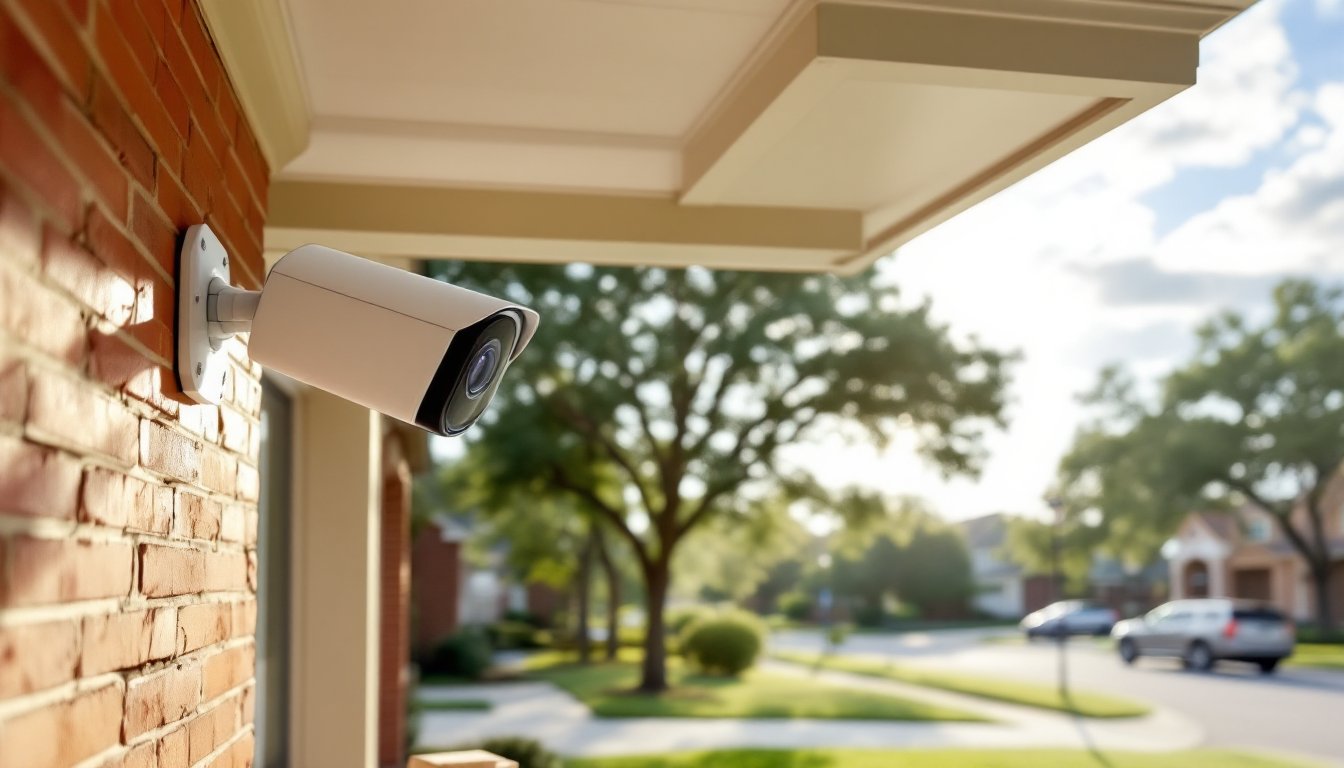
For covered porches and eaves, a turret or dome camera handles Houston’s wind-driven rain better than bullet-style cameras. The rounded housing sheds water instead of letting it pool around cable entry points. Mount them under soffits where possible, direct sun exposure shortens any camera’s lifespan.
DIY Installation vs. Professional Setup: What Houston Residents Should Know
Most wireless camera systems are straightforward DIY projects. If you can drill into brick or fiber cement siding and run a power cable to an outdoor outlet, you can handle a basic 2-4 camera setup in an afternoon. You’ll need a hammer drill with masonry bits for brick (common in older Houston homes), cable clips, and silicone sealant rated for outdoor use to seal any penetrations against water intrusion.
Wired PoE systems require running Cat6 ethernet cable from each camera location back to a central recorder. For single-story ranch homes, this is manageable, attic runs to exterior walls don’t require fishing wire through finished walls. Two-story homes get trickier, especially Houston’s older construction with plaster walls and zero attic access above second floors.
Hire a professional if you’re installing more than six cameras, integrating with existing home automation systems, or running cable through finished spaces. Expect to pay $150-250 per camera for professional installation in the Houston area, though prices vary by neighborhood and access difficulty. Companies that specialize in smart home technology reviews often recommend professional setup for complex systems.
One Houston-specific consideration: foundation movement. The expansive clay soils common around Houston cause foundations to shift seasonally. If you’re drilling into brick or mounting to exterior walls, don’t overtighten mounting screws, leave just enough play that minor settling won’t crack the camera housing or pull anchors out of mortar joints.
Top Features to Look for in a Houston Security Camera System
Local storage matters during hurricane season. Cloud-only systems become useless when your internet goes down, and in Houston, that’s not hypothetical. Choose systems with onboard SD card slots or a local NVR that stores footage on a hard drive. A 2TB drive holds roughly 30 days of continuous recording from four 4MP cameras, depending on compression settings.
Two-way audio helps you communicate with delivery drivers about safe package placement or tell contractors where to access the property. Quality varies wildly, test audio clarity before mounting cameras permanently.
Smart detection (person, vehicle, package) reduces false alerts from passing cats, blowing branches, and Houston’s abundant wildlife. Many home security camera comparisons now show AI-powered detection as standard, but implementation quality differs. Look for systems that let you draw custom motion zones, essential for ignoring street traffic while monitoring your driveway.
Mobile alerts should be customizable. Getting pings every time a car drives past gets old fast. Better systems let you set activity zones, schedule alert times, and adjust sensitivity levels independently for each camera.
Continuous recording vs. motion-activated: Continuous captures everything but fills storage quickly. Motion-activated saves space but might miss the approach to an event, you’ll see the burglar at your door but not which direction they came from. Many NVR systems offer continuous recording with motion bookmarking, giving you the best of both approaches.
Local Regulations and HOA Considerations in Houston
Texas is a one-party consent state for audio recording, meaning you can record conversations you’re part of without notifying others. But, recording audio where you have no reasonable expectation of being included, like a neighbor’s patio, crosses into illegal surveillance. Video-only recording of areas visible from your property is generally legal, but check your specific HOA rules.
Many Houston HOAs restrict camera placement, exterior wiring visibility, and sometimes even camera housing colors. The Memorial Villages, Woodlands, and newer master-planned communities often have strict architectural guidelines. Submit your installation plan for HOA approval before buying equipment, you don’t want to own cameras you can’t legally install.
Cameras pointed at public streets are legal, but those capturing neighbors’ yards, windows, or pools can trigger privacy complaints and potential civil liability. Angle cameras to cover your property lines without capturing significant portions of neighboring properties.
If your system includes cameras covering areas where workers or service providers might have privacy expectations (like a pool house or guest suite), post visible notice that video surveillance is in use. Texas doesn’t require this for your own property in most cases, but it’s good practice and can strengthen legal standing if footage is ever needed as evidence.
For rental properties, Texas landlords must notify tenants of any surveillance cameras and cannot place them in areas with privacy expectations (bathrooms, bedrooms). Common areas, exterior perimeters, and shared spaces are generally acceptable with proper notice.
Budgeting Your Security Camera Project
Entry-level wireless systems start around $150-300 for a two-camera kit with basic cloud storage. These work fine for monitoring a front porch and backyard, but expect to replace them within 2-3 years as batteries degrade and weatherproofing fails in Houston’s climate.
Mid-range PoE systems with 4-6 cameras and an NVR typically run $600-1,200 for quality equipment. This tier offers better image quality, local storage, and durability. Brands specializing in connected home technology often fall into this range, balancing features and longevity.
Professional-grade systems with 8+ cameras, advanced analytics, and integration capabilities start at $2,000-3,000 for equipment alone. Add professional installation and you’re looking at $3,500-5,000+ for whole-property coverage. This makes sense for larger lots, businesses run from home, or properties with specific security concerns.
Don’t forget ongoing costs: cloud storage subscriptions run $3-15 per month per camera depending on retention length and video quality. Local storage only requires the upfront NVR or hard drive investment. Factor in replacement costs, outdoor cameras in Houston’s climate typically last 3-5 years before weatherproofing degrades enough to cause failures.
Installation materials add another $50-150 to DIY projects: mounting brackets, cable, weatherproof junction boxes, drill bits, and sealant. Budget for conduit if you’re running cable along exterior walls, exposed cable looks unprofessional and is vulnerable to damage.
Price fluctuations hit this market hard. Supply chain issues, new model releases, and seasonal sales (especially Black Friday and Prime Day) can swing prices 30-40%. If your security needs aren’t urgent, wait for sales rather than buying retail.

